Monitor
Monitor Page Overview
The Monitor page lets you browse and search through your earthquake event history. Use it to review past seismic activity or find specific events based on various criteria.
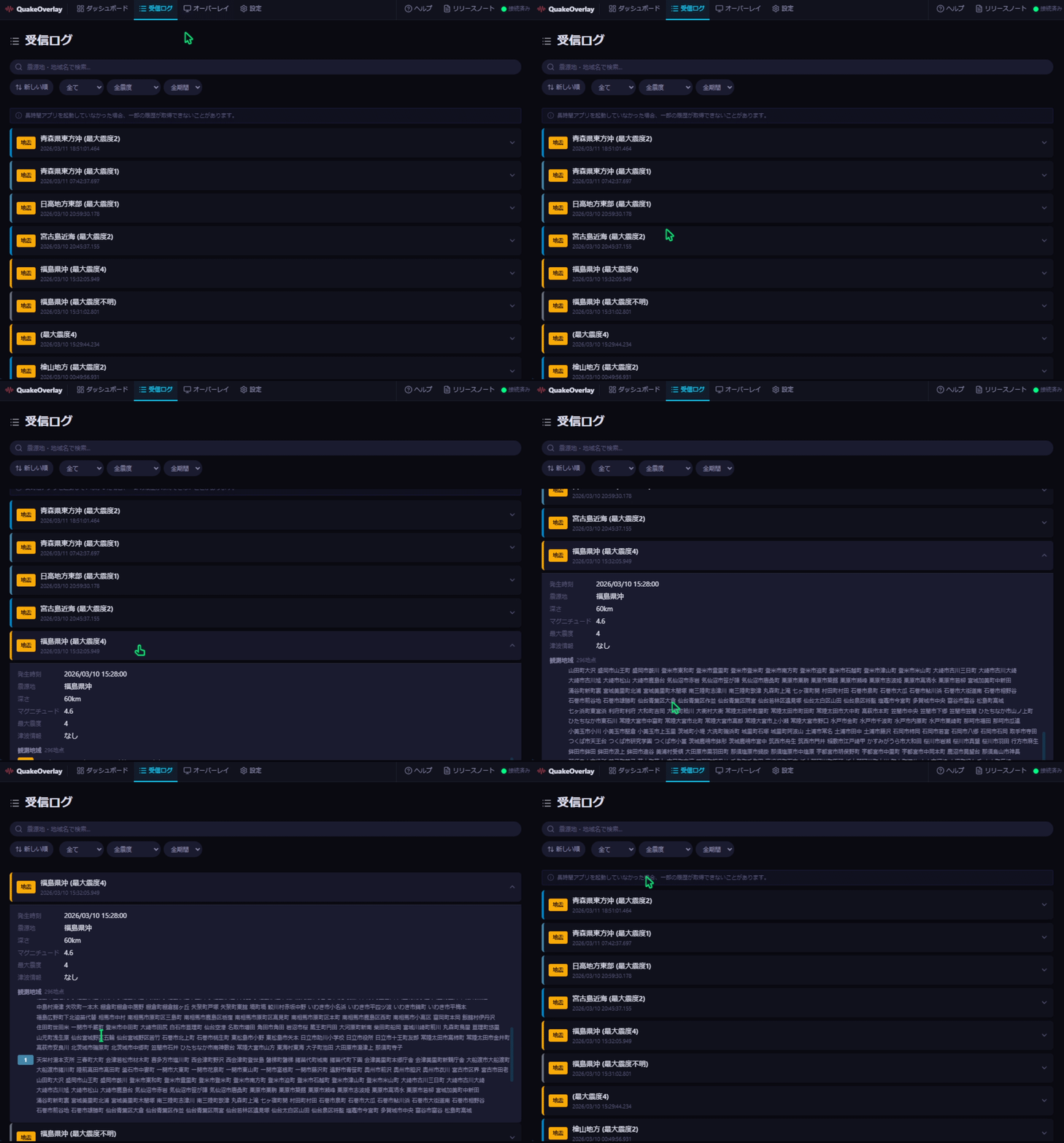
Earthquake History List
Received earthquake events are displayed in a scrollable list. Each event is highlighted with a border color based on its seismic intensity, making it easy to gauge severity at a glance.
Events are categorized with the following badges:
- Earthquake Info — Official earthquake information issued by the JMA (Japan Meteorological Agency)
- EEW (Early Earthquake Warning) — An early warning issued immediately after an earthquake is detected
Each entry displays the following details:
- Time — Date and time when the earthquake occurred
- Epicenter — Location of the earthquake's origin
- Magnitude — Scale of the earthquake
- Max Intensity — The highest observed seismic intensity
- Depth — Depth of the earthquake's hypocenter
Search Bar
The search bar at the top of the list allows you to filter events by place name.
For example, typing "Tokyo" will show only events related to the Tokyo area. The search term is matched against the epicenter location name.
Filter Bar
Below the search bar, you will find a set of filters to narrow down the displayed events.

The available filter options are as follows:
| Filter | Options | Default |
|---|---|---|
| Type | All / Earthquake Info / EEW | All |
| Min. Intensity | Intensity 1 through Intensity 7 | Intensity 1 |
| Period | Today / 3 days / 1 week / 1 month / All | All |
| Sort | Newest first / Oldest first | Newest first |
You can combine multiple filters to quickly locate the earthquake information you need.
Event Details
Click on any event in the list to expand it and view detailed information.
JMA Quake Events
- Full earthquake details are displayed, including source information, magnitude, and depth
- Observation points are grouped by prefecture, showing the recorded intensity at each location
EEW Events
- Warning details are displayed, including the alert level and issued time
- The estimated epicenter and estimated intensity are shown
Empty State
When no events match your current filters, a friendly message is displayed indicating that no results were found.
If this happens, try the following:
- Modify or clear the keyword in the search bar
- Broaden your filter criteria (e.g., set the period to "All" or lower the minimum intensity)
- Reset the type filter to "All"