Settings
Settings Overview
The Settings page lets you customize how QuakeOverlay behaves. It is organized into three tabs at the top of the page: Display, Notification, and Other.
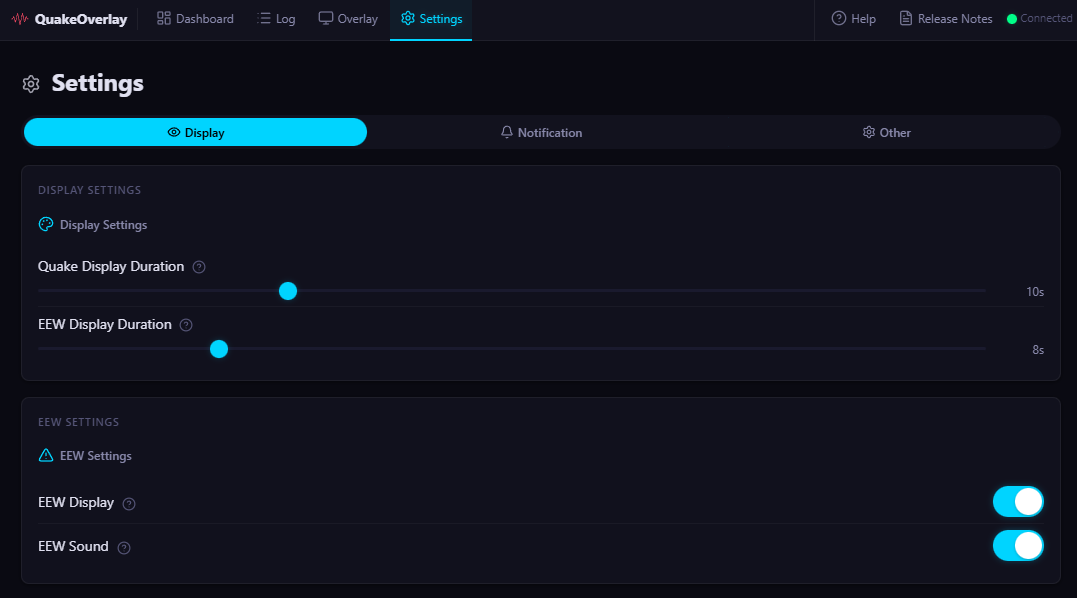
Display Tab
Configure how long earthquake information and Early Earthquake Warnings (EEW) appear on the overlay.
| Setting | Default | Range | Description |
|---|---|---|---|
| Earthquake info display duration | 10 sec | 3–30 sec | How long earthquake information stays visible on the overlay |
| EEW display duration | 8 sec | 3–30 sec | How long an Early Earthquake Warning stays visible on the overlay |
| Show EEW | ON | ON / OFF | Whether to display Early Earthquake Warnings on the overlay |
| EEW sound | OFF | ON / OFF | Whether to play a sound when an EEW is received |
A shorter display duration keeps your stream layout clean, while a longer one gives viewers more time to read the information. Adjust to suit your streaming style.
Notification Tab
Fine-tune OS notifications and per-event notification behavior.
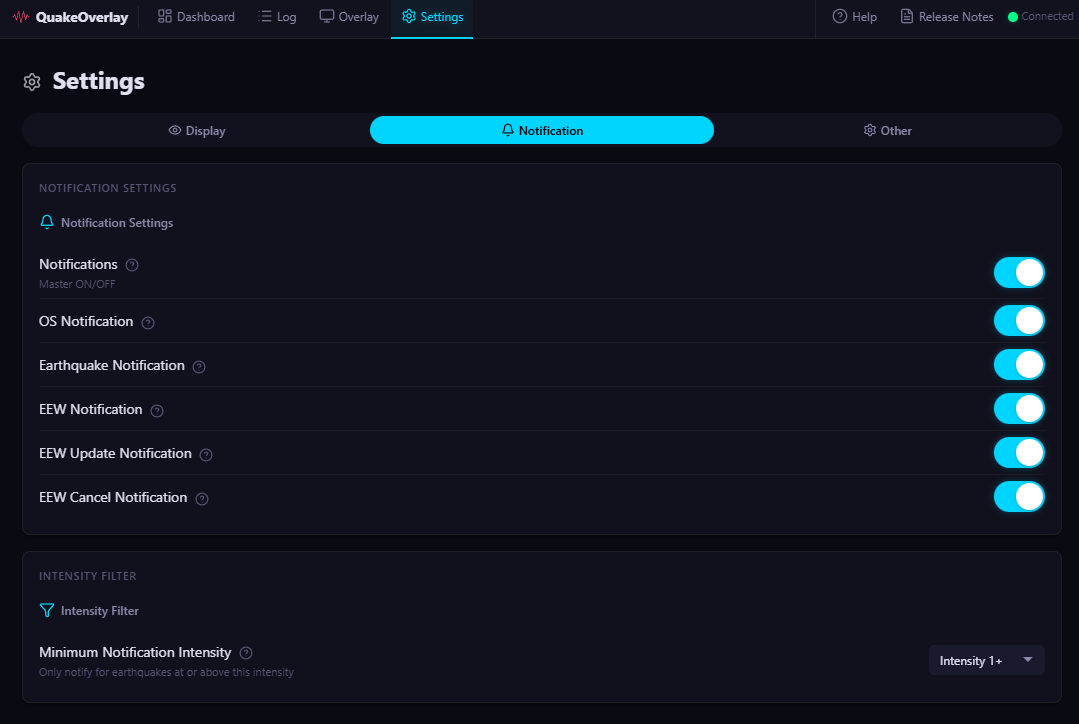
Master Notification Switch
The master switch at the top of this tab controls all notifications globally. When turned OFF, no notifications will be sent regardless of individual settings. Keep it ON to use notifications.
OS Notifications
Toggle whether QuakeOverlay sends notifications through the operating system's notification center (Windows notifications). This is ON by default.
Per-Event-Type Notifications
You can enable or disable notifications for each type of earthquake event.
| Event Type | Default | Description |
|---|---|---|
| Earthquake Info | ON | Standard earthquake information |
| EEW (Early Earthquake Warning) | ON | Initial EEW alert |
| EEW Update | OFF | Updates to an existing EEW |
| EEW Cancel | OFF | EEW cancellation notices |
Minimum Intensity Filter
Set the minimum seismic intensity required to trigger a notification. Only earthquakes at or above the selected intensity will produce notifications.
- Range: Intensity 1 through Intensity 7
- Default: Intensity 1 (all earthquakes trigger notifications)
Raising the filter reduces the number of notifications during your stream by ignoring smaller earthquakes.
Other Tab
Manage history retention, language, the setup wizard, and view version information.
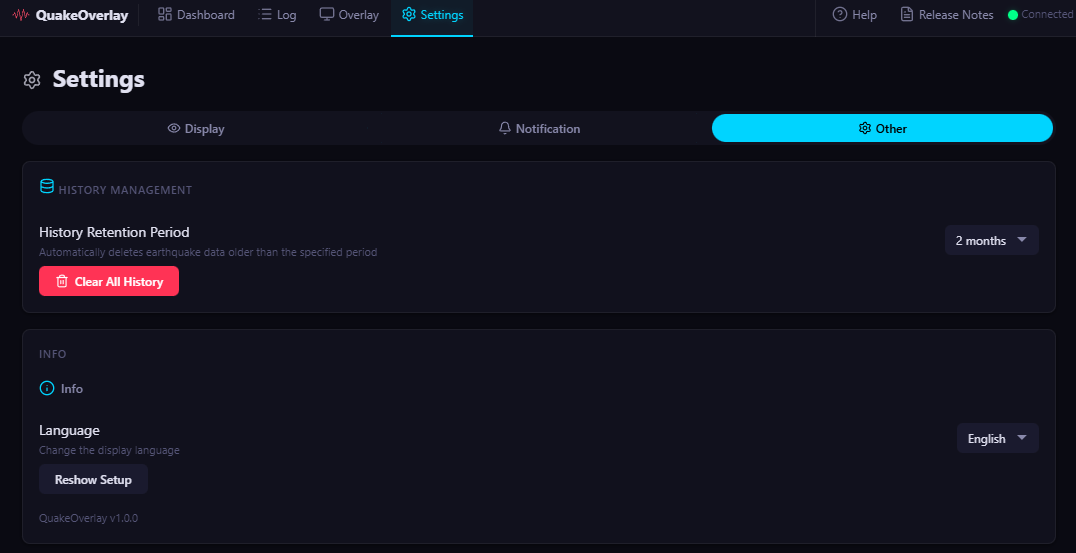
| Setting | Default | Options | Description |
|---|---|---|---|
| History retention | 60 days | 7 / 14 / 30 / 60 / 90 / 180 days | How long earthquake history is kept |
| Clear all history | — | Button | Delete all stored earthquake data |
| Language | Japanese | Japanese / English / Korean | Change the application interface language |
| Re-run setup wizard | — | Button | Launch the initial setup wizard again |
| Version | — | Display only | Shows the current application version |
Shortening the history retention period reduces storage usage. Note that clicking "Clear all history" permanently deletes all stored earthquake data.